 omacus
The calculator that fits Omarchy
Omacus was made for Omarchy first. One command installs it, offers a keybind and a floating-window rule for Hyprland, and it wears your Omarchy theme, switching the moment you do.
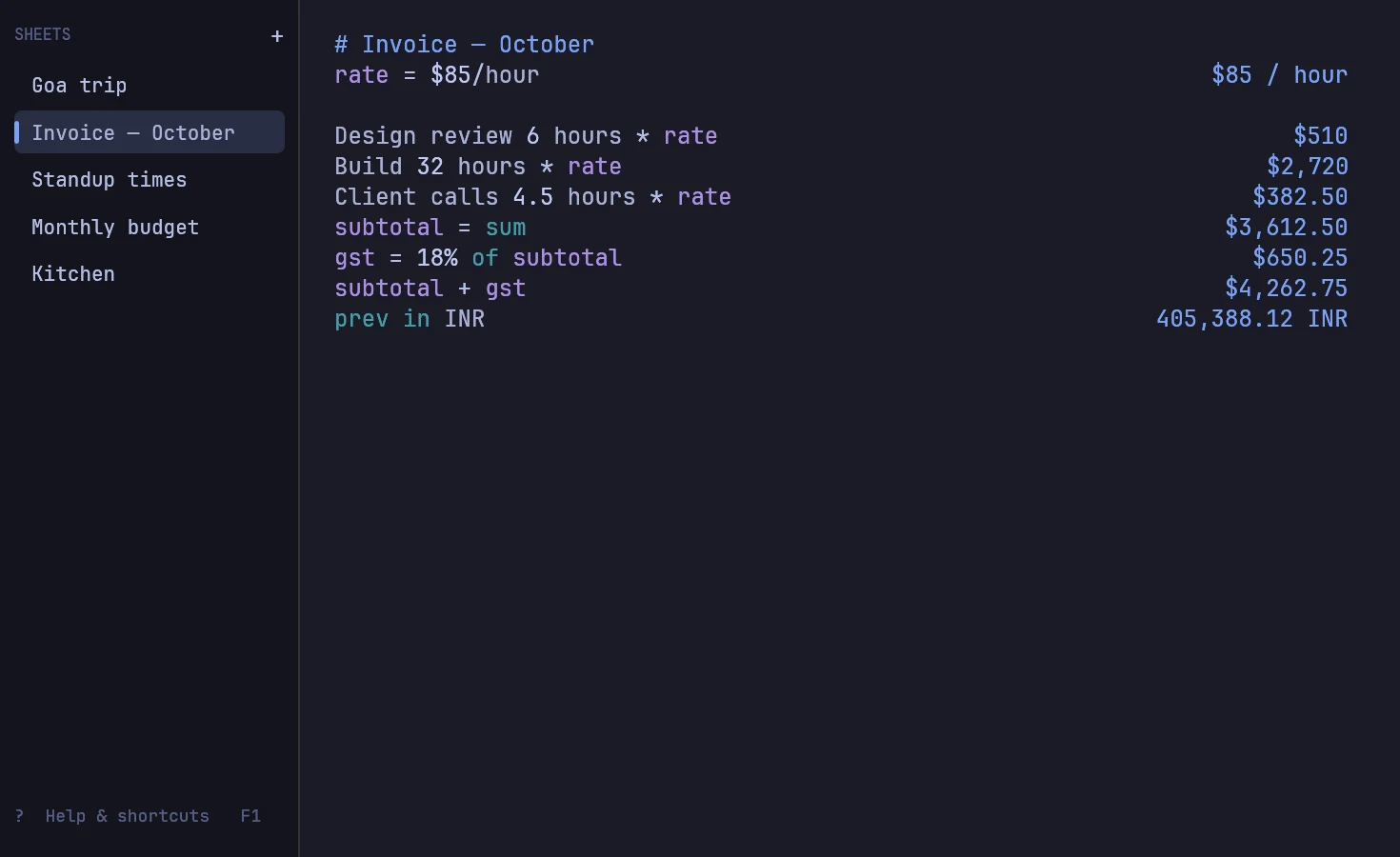
Omacus is a free, open-source notepad calculator. You write math in plain words, one line at a time, and the answers line up beside them as you type: units, currencies, time zones and percentages included. It also runs on other Linux distributions, macOS and Windows.
Install
curl -fsSL omacus.com/install | bash
This installs Omacus for your user (no root needed) into ~/.local/bin, with a launcher entry so it shows up in Omarchy's app menu. On Omarchy, the installer then asks two questions.
A keybind, checked against yours
The installer offers to bind Super Ctrl Alt = to open Omacus. Before adding anything, it reads your current bindings with Omarchy's own keybinding list. If the key you pick is taken, it tells you what it's used for and asks again, so it never overrides an Omarchy shortcut. On keyboards with a Calculator key, it can use that too.
The keybind launches Omacus or focuses it if it's already open, and Esc closes it again. Your sheets are saved as you type, so closing loses nothing.
A floating window
Calculators shouldn't take over a tiling layout. The installer adds a Hyprland window rule so Omacus opens floating, centered, at a comfortable 980 × 600.
Both changes go into ~/.config/hypr/bindings.lua and ~/.config/hypr/looknfeel.lua. Your files are backed up first, nothing is added twice, and if Hyprland reports an error, the change is rolled back. To set it up by hand instead, add:
o.bind("SUPER + CTRL + ALT + EQUAL", "Omacus calculator", { launch = "omacus", focus = "^omacus$" })
o.window("^omacus$", { float = true, size = { 980, 600 }, center = true })
For unattended installs, pass the answer: bash -s -- --hyprland, --key "SUPER ALT + N" or --no-hyprland.
Your theme, live
Omacus reads the active Omarchy theme's colors and watches for changes, so omarchy theme set restyles it instantly: Tokyo Night, Catppuccin, Gruvbox, Everforest, Nord, Rosé Pine, Matte Black or your own.
What you can type
| You type | Omacus shows |
|---|---|
6pm PST in Tokyo | 10:00 AM JST (next day) |
$30 in EUR | 26.75 EUR |
15% off $1,299 | $1,104.15 |
3.5 km in miles | 2.17 miles |
rate = $85/hour | $85 / hour |
rate * 30 hours | $2,550 |
Headers, comments, labels and notes sit right beside the math. Everything it understands is in the docs, and F1 in the app opens a guide where every example is calculated live.
From the terminal, too
The same engine answers in the terminal, which is handy for Waybar modules and scripts:
omacus '6pm PST in Tokyo'
omacus - < ~/notes/budget.txt
Questions
Is there a calculator app for Omarchy?
Omarchy ships with a basic calculator. Omacus is a notepad calculator made for Omarchy: it follows your theme, installs with a keybind and a floating window, and handles units, currencies and time zones in plain words.
Will the installer change my Hyprland config?
Only if you say yes. It backs up your files, never overrides an existing binding, and rolls back if Hyprland reports an error.
How do I change the keybind later?
Edit the o.bind line in ~/.config/hypr/bindings.lua, or run the installer again and pick another key.
Does it work on Arch without Omarchy?
Yes. The same installer works on any Linux; outside Omarchy it skips the Hyprland questions and follows your system's light or dark mode.